Right then, let’s dive into one of the most crucial, yet often overlooked, aspects of digital success: making your website sing with speed. As a UK-based SEO chap, I’ve seen firsthand how a sluggish site can send potential customers packing faster than you can say “cup of tea,” and worse, it can seriously impact how Google sees you. In this day and age, with the digital world moving at a breakneck pace, your website speed isn’t just a nice-to-have; it’s an absolute necessity. We’re going to unpack exactly why this is the case, and crucially, what you can do about it.
It might sound a bit dramatic, but the truth is, Google is absolutely obsessed with user experience. They want to serve up the best possible results to their users, and that means guiding them towards websites that are not only relevant but also enjoyable to interact with. And what’s more enjoyable than a website that loads in the blink of an eye?
The Undeniable Link: Page Speed as a Ranking Factor
Let’s get straight to the juicy bit. Page speed isn’t some rumour or a best practice that’s been whispered about; it’s a confirmed Google ranking factor. This has been the case for a while, but it’s getting more and more prominent. It operates through Google’s highly talked-about Page Experience system, which heavily relies on what they call Core Web Vitals. Think of these as the key metrics that tell Google how your users are experiencing your website. The main players here are:
- Largest Contentful Paint (LCP): This measures how long it takes for the largest image or block of text to become visible within the viewport. Basically, it’s about how quickly the main content of your page appears.
- Interaction to Next Paint (INP): This is the new kid on the block, and it’s a biggie. INP measures the entire responsiveness of a page to user interactions. It looks at the latency of all interactions a user has with the page – from clicks and taps to keyboard input. If a page is slow to respond, INP will reflect that.
- Cumulative Layout Shift (CLS): This measures unexpected shifting of page content. You know those annoying moments when you’re about to click something, and then the whole page jumps, and you click the wrong thing? That’s bad CLS, and Google penalises it.
The March 2026 Core Update: A New Era for Speed
Now, here’s where things get particularly interesting and, frankly, crucial for 2026. The March 2026 core update really cranked up the dial on page speed. This update didn’t just tweak things; it elevated Interaction to Next Paint (INP) right alongside Largest Contentful Paint (LCP) as primary ranking signals. This means Google is now looking at both how quickly your main content loads and how responsive your page is to user input just as intently.
Furthermore, this update also tightened the “good” LCP threshold for mobile devices. It’s now shifted from a generous 2.5 seconds down to a much more demanding 2.0 seconds. If your mobile site isn’t loading its main content within that timeframe, you’re already on the back foot.
The Real-World Impact: Ranking Drops and Lost Opportunities
The data is quite stark. If your website is struggling with INP, you’re going to feel the pinch. Sites with poor INP (scoring above 200ms) have been observed to experience average ranking drops of a significant 0.8 to 4 positions. That might not sound like much on its own, but in the fiercely competitive online landscape, losing even a single position can mean a substantial drop in traffic.
And if your INP scores are even worse, exceeding 500ms, the damage is amplified. These sites have been seen to drop 2–4 positions on competitive queries, meaning you’re not just losing a few spots; you’re actively being pushed down the search results pages, out of sight and out of mind for potential customers. This isn’t just an academic exercise; it’s impacting real businesses, right here in the UK and across the globe.
Speed as a Tiebreaker: Not a Magic Wand, But a Crucial Edge
It’s important to manage expectations around page speed. While it’s a powerful ranking factor, it’s not a magic wand that will instantly propel you to the top of Google if your content is weak or irrelevant. Think of speed more as a tiebreaker. If you have two pages that are equally relevant and authoritative on a given topic, the one that loads faster and provides a better user experience will almost certainly win the race.
So, a faster website will pull ahead of similar pages with worse performance, but it won’t miraculously outrank stronger content that has better relevance and authority. The sweet spot is having both excellent content and lightning-fast loading times. That’s where you truly dominate.
Unpacking the Core Web Vitals: What They Mean for You
We’ve touched on the Core Web Vitals, but let’s dive a little deeper into what each one signifies and why it matters for your website’s performance and Google rankings. Understanding these will empower you to identify where your site might be falling short.
Largest Contentful Paint (LCP): The First Impression That Matters
As mentioned, LCP is about how quickly the main content of your page becomes visible. For a blog post, this would be the hero image or the opening paragraphs of text. For an e-commerce product page, it might be the main product image or the price.
What Constitutes a “Good” LCP Score?
Google considers an LCP of 2.5 seconds or less to be good. However, as per the March 2026 update, the ideal target for mobile is now 2.0 seconds or less. This means that by the time your user has their first real interaction, the most important content should already be there, waiting for them.
Common Culprits Behind Poor LCP
Several factors can drag down your LCP score:
- Slow server response times: Your hosting could be the bottleneck. If your server is struggling to deliver the initial HTML document, everything else is delayed.
- Render-blocking JavaScript and CSS: If these scripts need to be downloaded and processed before the browser can display the content, it will cause delays.
- Large image files: Unoptimised images are a classic LCP killer. They take ages to download and render.
- Resource load timing: If critical resources are loaded late in the process, it can halt the painting of content.
Interaction to Next Paint (INP): The Backbone of Responsiveness
INP is the newer metric, and it’s really about the overall user experience in terms of interactivity. It measures the time from when a user initiates an interaction to when the browser visually updates the screen in response.
Understanding High INP Scores
A “good” INP score is 200 milliseconds or less. This means that when a user clicks a button, fills out a form, or scrolls, the page responds almost instantly.
- Fair INP: Between 200ms and 500ms.
- Poor INP: Above 500ms. This is where you’ll see those significant ranking drops we discussed.
Why Does INP Get High?
The culprits behind high INP are often related to how your JavaScript is handled:
- Long JavaScript tasks: If a single JavaScript task takes too long to execute, it can block the main thread, preventing the browser from responding to user input.
- Unoptimised third-party scripts: External scripts from analytics, ads, or social media widgets can often be resource-intensive and slow down your page’s responsiveness.
- Complex DOM manipulation: Frequent and inefficient updating of the Document Object Model can also lead to delays.
- Inefficient event listeners: How your website handles user events can be a major factor.
Cumulative Layout Shift (CLS): The Stealthy Saboteur
CLS might not be about speed in terms of loading time, but it’s absolutely about a smooth, frustration-free user experience. A high CLS score means your users are constantly having to reorient themselves on the page.
What’s a Good CLS Score?
Google deems a CLS score of 0.1 or less to be good. Anything above this indicates a noticeable amount of layout instability.
Common Causes of CLS Issues
- Images without dimensions: If you don’t specify the width and height of an image, the browser might reserve space for it later, causing content to jump.
- Dynamically injected content: Ads, banners, or pop-ups that load late and push existing content around are major CLS offenders.
- Web fonts causing “flash of invisible text” (FOIT) or “flash of unstyled text” (FOUT): When a custom font hasn’t loaded yet, the browser might display text in a fallback font, and then swap it when the custom font arrives, causing a shift.
- Lack of space reserved for embeds: If you’re embedding videos or interactive elements, not reserving enough space beforehand can lead to elements pushing content down.
Practical Steps to Turbocharge Your Website Speed

So, we understand why speed matters and what Google is measuring. Now, let’s get down to the nitty-gritty of how you can actually improve your website’s performance. These are actionable steps that can make a tangible difference.
Optimising Your Images: The Low-Hanging Fruit
Images are often the largest contributors to a page’s file size, and therefore, its loading time. This is where you can achieve some of the most significant wins.
Compressing Your Hero Images
Your hero image – that striking visual at the top of your homepage or landing page – is often the first thing a user sees. It’s crucial that this loads quickly.
- Use image compression tools: There are many fantastic online tools (like TinyPNG, JPEGmini) and desktop applications that can significantly reduce image file sizes without a noticeable loss in quality.
- Choose the right format:
- JPEG: Ideal for photographs and images with lots of colours and gradients.
- PNG: Better for images with transparency or sharp lines and text.
- WebP: A modern image format that offers superior compression and quality compared to JPEG and PNG. Most modern browsers support it, and it’s highly recommended.
- Serve responsive images: Use the
srcsetattribute to serve different image sizes based on the user’s screen resolution. This prevents mobile users from downloading unnecessarily large desktop images.
Lazy Loading for Below-the-Fold Content
For images that aren’t immediately visible when a page loads (below the fold), implement lazy loading. This means the image will only be loaded when the user scrolls down and it enters the viewport.
- Native lazy loading: Most modern browsers support
loading="lazy"as an attribute on - JavaScript libraries: If you need more advanced control or are supporting older browsers, JavaScript libraries can achieve the same effect.
Taming Third-Party Scripts: A Necessary Evil
Third-party scripts are incredibly useful for analytics, marketing automation, customer support widgets, and much more. However, they can be a major drain on performance.
Identifying and Auditing Your Scripts
The first step is to know what’s running on your site. Tools like Google’s PageSpeed Insights or GTmetrix will highlight the impact of third-party requests.
- Regularly audit your scripts: Are you still using all the scripts you’ve implemented? Are they all essential? Remove anything that’s not actively contributing to your business goals.
- Prioritise script loading: Can some scripts be loaded asynchronously or deferred? This means they won’t block the rendering of your page.
Removing Heavy Third-Party Scripts
- Load scripts from a CDN where possible: Many popular third-party scripts (like Google Analytics tracking code or Facebook Pixel) can be served from a Content Delivery Network, which can be faster.
- Consider alternatives: Are there lighter-weight alternatives to the scripts you’re using? For example, instead of a full-blown chat widget, could a simpler contact form suffice for some visitors?
- Limit the number of scripts: Each script adds overhead. Be judicious about what you add.
The Power of a CDN and Caching: Speeding Up Delivery
This is a foundational element of website speed optimisation that can deliver massive improvements for a relatively low effort.
Deploying a CDN with Caching
A Content Delivery Network (CDN) is a geographically distributed network of servers. When you use a CDN, copies of your website’s static assets (images, CSS, JavaScript) are stored on these servers around the world.
- How it works: When a user visits your website, the CDN serves those assets from the server closest to them. This dramatically reduces latency and speeds up load times, especially for international audiences.
- Caching is key: CDNs also offer robust caching mechanisms. This means that frequently requested files are stored on the CDN’s servers, so they don’t need to be fetched from your origin server every single time. This is incredibly efficient.
Browser Caching Strategies
Beyond CDNs, you can leverage browser caching. This instructs the user’s browser to store certain website files locally for a specified period.
- Set appropriate cache-control headers: Configure your server to tell browsers how long they should store specific files (e.g., CSS, JavaScript, images). This way, when a user revisits your site, their browser can load these elements directly from its cache, rather than downloading them again.
Reducing JavaScript Bundle Size: Making Your Code Nimble
JavaScript is essential for modern web interactivity, but it can also be a significant performance bottleneck. Large JavaScript files can take a long time to download, parse, and execute.
Minification and Compression
- Minify your JavaScript: This process removes all unnecessary characters from your code, such as whitespace, comments, and line breaks, without affecting its functionality.
- Gzip or Brotli compression: Ensure your server is configured to compress JavaScript files using Gzip or Brotli before sending them to the browser. This drastically reduces file size during transfer.
Code Splitting and Tree Shaking
- Code splitting: Instead of loading all your JavaScript at once, split it into smaller chunks. These chunks can then be loaded on demand, only when they are actually needed. This is particularly effective for complex applications.
- Tree shaking: This is a process where unused code is eliminated from your JavaScript bundles during the build process. It ensures you’re only shipping the code that’s absolutely necessary.
Deferring and Asynchronous Loading of Scripts
As we touched upon earlier, controlling when your JavaScript loads is crucial.
deferattribute: Scripts with thedeferattribute will download in the background and execute only after the HTML document has been fully parsed, and in the order they appear in the HTML.asyncattribute: Scripts with theasyncattribute will download in the background and execute as soon as they are downloaded, potentially before the HTML is fully parsed. This can lead to issues if the script relies on DOM elements that haven’t loaded yet, so use with caution.
Beyond the Core: Other Speed Optimisation Tactics
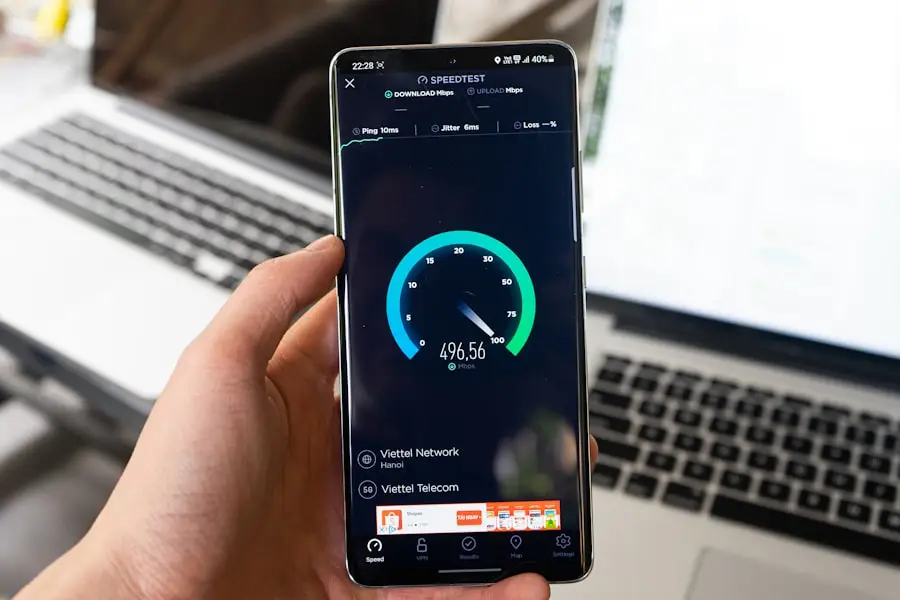
While Core Web Vitals are paramount, there are other areas of your website that can contribute to a faster, more effective user experience.
Optimising Your Server and Hosting
Often, the root cause of slow website speed lies not in your website’s code as much as it does in the underlying infrastructure.
Choosing the Right Hosting Provider
- Shared hosting vs. VPS vs. Dedicated: Understand the different types of hosting. Shared hosting is the cheapest but can be slow due to shared resources. A Virtual Private Server (VPS) or dedicated server offers more control and better performance.
- Server location: If most of your audience is in the UK, consider a hosting provider with servers located in the UK.
- Managed WordPress hosting: If you’re on WordPress, specialised managed hosting can offer significant speed optimisations out of the box.
Server-Side Caching
In addition to browser and CDN caching, your server itself can cache frequently generated web pages. This means that for repeat visitors, fully generated pages can be served almost instantly, bypassing much of the database and processing overhead.
Streamlining Your Website’s Code
Clean, efficient code is fundamental to a fast website.
Minifying CSS and HTML
Similar to JavaScript, minifying your CSS and HTML files removes unnecessary characters, reducing their file size. This is often an automated process within website build tools.
Reducing HTTP Requests
Every file your website needs to load (images, CSS files, JavaScript files, fonts) requires an individual HTTP request from the browser to the server. The more requests, the longer the page takes to load.
- Combine CSS and JavaScript files: Where appropriate, combine multiple CSS files into one and multiple JavaScript files into one (though be mindful of not creating massive bundles which can then suffer from long parse times).
- Use CSS sprites: Combine multiple small images into a single larger image. You can then use CSS to display specific parts of that image, reducing the number of image requests.
Font Optimisation: The Unseen Speed Drain
Web fonts can add a lot of personality to your website, but they can also heavily impact loading times if not managed correctly.
Choosing Font Formats Wisely
- WOFF2: This is the most efficient font format for modern browsers and is highly recommended.
- WOFF: A good fallback for older browsers.
- EOT and TTF: Generally less efficient and often not needed for modern sites.
Preloading Critical Fonts
- Use
: If a particular font is critical for rendering the initial content of your page (e.g., your body font), you can “preload” it. This tells the browser to fetch the font early in the page loading process. - Only preload what’s essential: Overusing
preloadcan negatively impact performance by prioritising the wrong resources.
Limiting Font Variations
Each font weight and style (e.g., regular, bold, italic) is a separate file. Using too many variations can significantly increase the number of font files your website needs to download. Stick to the essential weights and styles.
Measuring and Monitoring Your Website Speed
The journey to a faster website isn’t a one-off task; it’s an ongoing process of testing, refining, and monitoring.
Using Essential Tools for Analysis
- Google PageSpeed Insights: This is your go-to tool. It provides scores for both mobile and desktop, identifies specific recommendations, and crucially, reports on Core Web Vitals.
- GTmetrix: Another excellent, comprehensive tool that offers detailed waterfall charts, performance scores, and actionable insights.
- WebPageTest: Allows you to test your website from various locations and on different browsers and connection speeds, giving you a true global perspective.
- Google Search Console: Keep an eye on the “Core Web Vitals” report within Search Console. This shows you how Google perceives the user experience on your site based on real user data (CrUX data).
Establishing Benchmarks and Setting Goals
Once you start analysing your site, you’ll get a baseline understanding of your current performance.
- Set realistic targets: Aim for the “good” thresholds for LCP, INP, and CLS. For LCP on mobile, your goal should be 2.0 seconds or less. For INP, under 200ms. For CLS, under 0.1.
- Regularly re-test: Website performance can degrade over time as new features are added or plugins updated. Make speed testing a regular part of your website maintenance routine.
The Importance of Real User Monitoring (RUM)
While synthetic testing (like PageSpeed Insights) is valuable, it simulates a user’s experience. Real User Monitoring (RUM) collects performance data from actual visitors to your website. This gives you the most accurate picture of how your website is performing in the wild. Many analytics tools and dedicated RUM services offer this functionality.
Conclusion: Invest in Speed, Reap the Rewards
In the fast-paced digital world, hesitating on website speed optimisation is akin to leaving money on the table. As the digital landscape continues to evolve, and with Google placing an ever-increasing emphasis on user experience through metrics like Core Web Vitals, a slow website will inevitably hinder your growth.
By understanding the significance of LCP, the critical role of INP, and the impact of CLS, and by implementing the practical optimisation strategies we’ve discussed – from image compression and CDN deployment to JavaScript optimisation and server enhancements – you’re not just making your website faster; you’re making it more user-friendly, more appealing to search engines, and ultimately, more successful.
Remember, speed acts as a crucial tiebreaker. While it won’t magically fix poor content, it will undoubtedly give you the edge over competitors with similar offerings but slower sites. So, invest the time and effort into boosting your website’s speed. It’s an investment that pays dividends in rankings, user satisfaction, and ultimately, your bottom line. Now, go forth and make your website fly!